GETTING STARTED
1- Setup
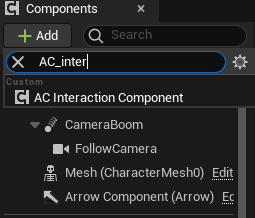
To start using the Interact System, you'll need to add the AC_InteractionComponent to your Player and configure the parameters.
|
|
Interaction Check Distance: Maximum distance for detecting interactable objects |
.png)
Then, connect "Start Interaction" and "Stop Interaction" from the AC_InteractionComponent.
.png)
INTERACTABLE ACTOR
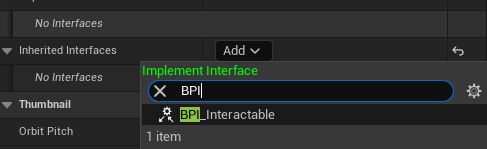
To make an actor interactable, add the Blueprint Interface BPI_Interactable to your actor, or you can use my BP_InteractableBase as a parent class.
.png) |
Checks if interaction is possible with the target object
|
.png) |
Retrieves the interaction information from the target object
|
.png) |
Triggers the interaction with the target object
|
.png) |
Called when the player starts looking at an interactable object
|
.png) |
Called when the player stops looking at an interactable object
|
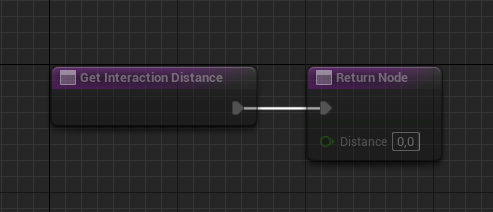 |
Retrieve the distance at which a player can interact with an interactable object
|
.png)
.png)
.png)
.png)
.png)
.png)
DISPATCHER
You can use these events to update a widget or trigger other actions. You can also bind these events by passing the AC_InteractionComponent as a parameter.
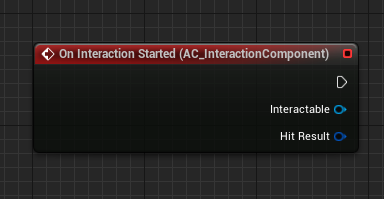 |
Triggered when an interaction begins
|
.png) |
Triggered during hold interactions to track progress
|
.png) |
Triggered when an interaction successfully completes
|
.png) |
Triggered when an interaction is cancelled before completion
|
.png) |
Triggered when an interaction fails
|
GLOSSARY
|
1 - Get Current Interactable Returns the interactable object currently being targeted
.png) |
2 - Is Interacting Checks if the
.png) |

 Our Marketplace