How to use
|
Create a singleton
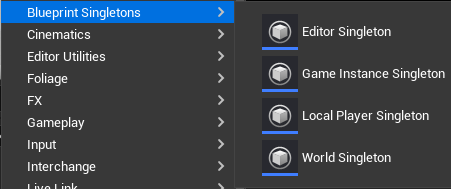
Create the subsystem you want using the dedicated content browser section. ⚠️Editor Singletons needs engine restart to initialize properly. It is only available in Editor and won't be coocked in a packaged build. |
Use a singleton
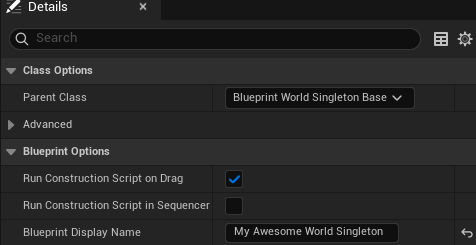
💡You can change your singleton display name using "Blueprint Display Name" section in the class settings :
|
.png)
.png)
.png)
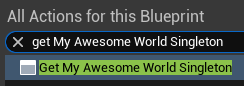
💡Double-clicking a Singleton Getter node in the Blueprint graph will automatically open the Blueprint asset associated.
Important Note
The plugin automatically adds singleton types to the Asset Manager's scan list. Do not remove them, as this may cause the singleton classes to malfunction. If you accidentally delete an entry, simply restart the editor and the plugin will restore the missing parameters.

Known Issues
Asset Manager / DefaultGame.ini
Sometimes, Asset Manager auto-filled data may not save to DefaultGame.ini, causing singletons to fail in standalone/packaged builds. To resolve this, simply toggle any checkbox off and on within the Asset Manager section of the Project Settings.

 Our Marketplace